Block Content Inspector in your browser
See which blocks, links and images a WordPress post uses, find old domains and insecure http links, and locate any text on the page or in the editor. Free, private and local.
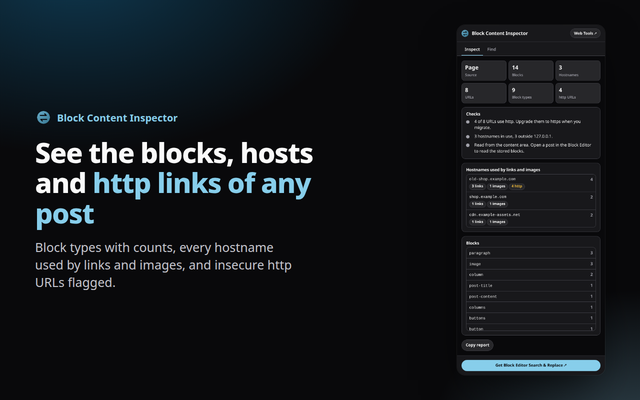
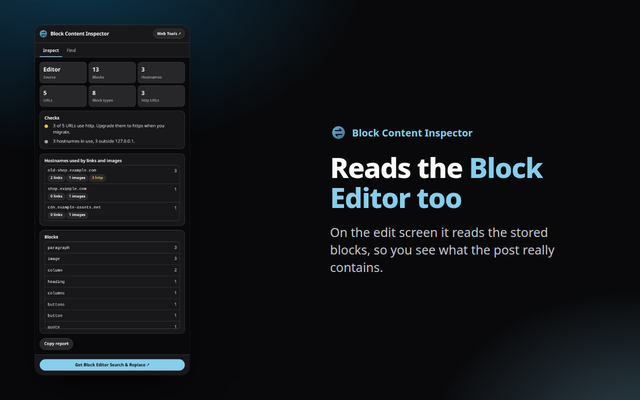
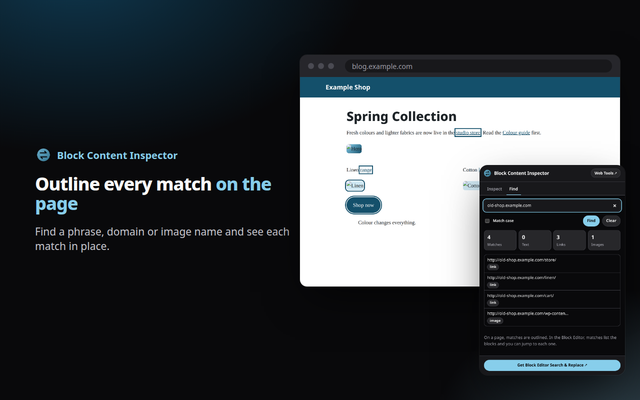
Quick answer: Block Content Inspector is a free browser extension for Chrome, Edge and Opera. It lists the blocks used on a WordPress page or in the Block Editor, shows every hostname used by links and images, flags http links, and finds text with an outline. Everything runs in your browser.
What it does
- Block overview: every block type in the post with counts, read from the page or from the Block Editor.
- Hostnames and http: a table of the domains your links and images point to, with insecure http URLs flagged, so you know exactly what to migrate.
- Find on page: locate a phrase, domain or image name and see each match outlined.
How to install
- Download the zip above and unzip it to a folder you will keep.
- Open
chrome://extensions(oredge://extensions,opera://extensions) and switch on Developer mode. - Click Load unpacked and choose the unzipped folder, then pin the extension from the puzzle-piece menu.
Firefox only keeps unsigned add-ons until it restarts (about:debugging, Load Temporary Add-on), so a Firefox build will come from the add-ons store once published.
Private by design
The extension runs entirely in your browser. It reads a page only when you open it, sends nothing anywhere, and needs no account. See the Developry privacy policy.
Prefer the web version?
The same kind of tools work in any browser tab: try the free block content find and replace on this site, or get the Block Editor Search & Replace plugin for WordPress.
Frequently asked questions
Is the extension free?
Yes. It is free, with no account and no ads.
Does it edit my posts?
No. It only reads the page or the editor and outlines matches. To change content, use the Block Editor Search & Replace plugin.
Does it work in the Block Editor?
Yes, on the post edit screen it reads the blocks from the editor. On the front end it reads the rendered block markup.
Which permissions does it need?
activeTab and scripting, to read the current page when you open the popup. One check runs in the page's own JavaScript world to read the editor data.
Which browsers are supported?
Chrome, Edge, Opera and other Chromium browsers, installed from the downloaded zip. Firefox will follow through the add-ons store.
Is there a WordPress plugin?
Yes. Block Editor Search & Replace by Developry finds and replaces text, links and image URLs in the post you are editing. The plugin page is on developry.com.